


Chess
4.529.45K Reviews
App Specs
- Version
- 2.9.4
- Updated On
- License
- Free
- Downloads
- 100,000,000+
- Developer
- Chess Prince
- Categories
- Board
- Platform
- Android, iOS
Screenshots
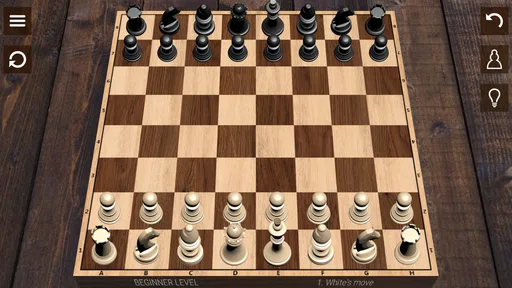
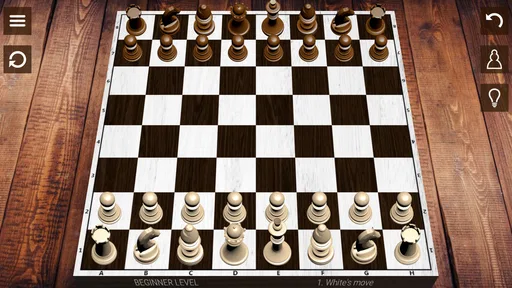
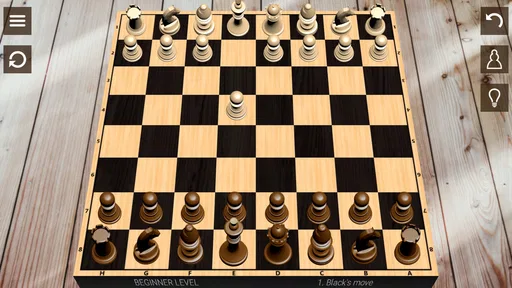
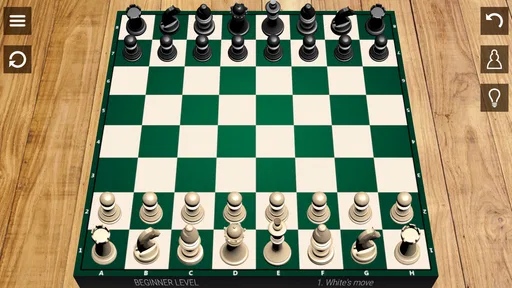
 Analysis by AppCompare
Hey there, fellow app adventurers! Today, I’m diving into the world of strategy and mind games with a classic that never goes out of style – Chess. If you’re ready to test your strategic prowess right from your smartphone, keep reading because this app is about to become your new obsession.
Who gets the most from a pocket chessboard?
I find this game most useful when I want a focused activity that doesn’t require a long setup or a group of people in the same room. A short break can fit a few moves against the computer, while a quiet evening leaves room to think through a full game. The board-game format is familiar, but playing on a phone changes the routine: I can practise privately, pause between sessions, and return when I have time.
That convenience is also a trade-off. Chess rewards sustained attention, and a phone makes it easy to play while distracted. If I’m answering messages or watching the clock, I’m more likely to miss a threat than learn from the position. I get more from a deliberate game than from tapping through several matches just to fill a spare minute.
Starting with realistic expectations
The app is a free board game from Chess Prince, and its broad appeal is reflected in an average rating of 4.5 from around 2.1 million ratings. It has passed 100 million installs, so it is clearly a familiar choice for many players. The game is rated Everyone, and its current version is 2.9.4; it runs on Android 6.0 or later. Those details make it easy to judge basic fit, but they don’t tell me how every device will feel in use.
There are in-app purchases priced from $0.99 to $4.99 per item. That gives a useful spending boundary, but I wouldn’t treat the existence of purchases as proof that paying is necessary to play well or progress. The practical question is whether the free experience already suits your needs. I’d start there and only consider a purchase if I understood what it changed and actually wanted that option.
Getting Started with Chess
Alright, so you’ve decided to take the plunge and install the Chess app. First things first, the setup is a breeze. Whether you’re on Android or iOS, downloading and getting started is as straightforward as it gets. Once you open the app, you’re greeted with a clean, minimalist interface that doesn’t overwhelm you with too many options. It’s easy on the eyes, and you can jump right into a game without any fuss.
Game Modes Galore
One of the coolest things about this Chess app is the variety of game modes it offers. Whether you’re a total newbie or a seasoned grandmaster, there’s something for everyone. You can play against the AI, which has different difficulty levels, so you can gradually up your game. And let me tell you, the AI gets pretty challenging! It’s perfect for honing your skills.
Worth Reading Before You Choose

Flipboard Shows What News Apps Must Do Beyond the Feed

Switching to Android Auto Means Rethinking Your Driving Routine

Google Calendar Makes a Crowded Week Easier to Manage

Ludo King Makes the Most of the Minutes Between Plans

Baby Panda World Brings Quick Play to Modern Phones, but Its Game Library Feels Busy

ESPN’s Live Game View Makes Following Close Games Easier
But wait, there’s more! You can also play online against real players from all over the world. This feature is a game-changer, literally. It’s thrilling to match wits with someone you’ve never met and see who comes out on top. Plus, there’s a chat feature, so you can exchange a few friendly words or even engage in some light banter if that’s your style.
Features That Make It Stand Out
So, what makes this app stand out in the sea of chess apps? For starters, it has an excellent tutorial mode. If you’re just starting out, this is your go-to section. It breaks down the basics of chess in such a simple way that even your grandma could become a chess master. The tutorials are interactive, which means you’re actively participating rather than just watching a video.
Another standout feature is the analysis tool. This is a nifty addition for those who want to improve their game. After each match, you can review your moves and the app will suggest alternatives. It’s incredibly insightful, especially if you’re serious about improving your strategy.
Learning from a loss, not just chasing wins
I’d use the computer games as practice with a specific purpose, rather than treating a higher difficulty as a badge to collect. For example, I might focus on protecting pieces for one session, then pay attention to what happens after moving a pawn in front of my king. A modest goal gives me something concrete to notice, even if I lose. When I’m learning the rules, I’d keep the position simple and avoid changing several habits at once.
The post-game review is most helpful when I bring a question to it. Instead of scanning every suggested alternative, I can look for the first move where my plan stopped making sense: Did I leave a piece undefended? Did I overlook a check? Did I trade without understanding the resulting position? Reviewing one turning point is less overwhelming than trying to memorize a whole game, and it makes the tool feel like a study aid rather than a verdict on my ability.
There’s a limit to what a move suggestion can teach on its own. An alternative may be stronger without explaining the idea in a way a beginner immediately understands. I’d use the analysis to spot candidates, then replay the position and ask what threat the recommended move addresses. That small habit turns a computer’s answer into a question I can learn from, instead of tapping through suggestions without retaining much.
Fair play and choosing an opponent
Playing the computer and playing another person serve different purposes. The computer is convenient when I want to practise at my own pace; an online opponent adds the uncertainty of a human plan and can make a familiar opening feel fresh. I wouldn’t assume those experiences are interchangeable. If I’m trying to learn a particular idea, a controlled practice game may be easier to reflect on. If I want an unpredictable contest, online play is the more appealing choice.
For fairness, I’d keep the focus on the board and use chat courteously. A chat option can make a match feel more social, but it can also distract from calculation, so I’d ignore it when I want a serious game. I also wouldn’t use outside assistance during a live match: it undermines the point of testing my own decisions and makes the result less meaningful for both players. The app’s available purchase range does not, by itself, establish that purchases affect competitive strength, so I would not claim that paid items create either an advantage or a disadvantage.
If you’re choosing between this and a physical board, the phone version wins on convenience: it is ready when no partner is available and offers computer practice and online opponents in one place. A physical board is better for face-to-face play and for studying a position with someone beside you. Compared with a dedicated chess-learning service, this game may be the simpler pick if you mainly want to play and review; someone seeking a structured curriculum, coach-led instruction, or a tightly organized competitive environment should compare specialist options before settling here.
Customization and User Experience
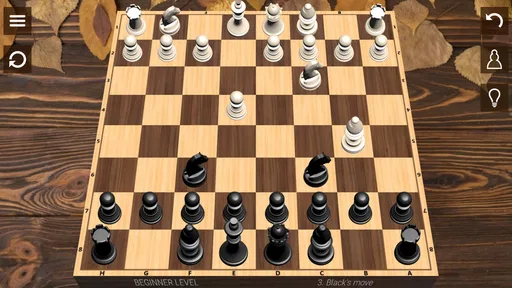
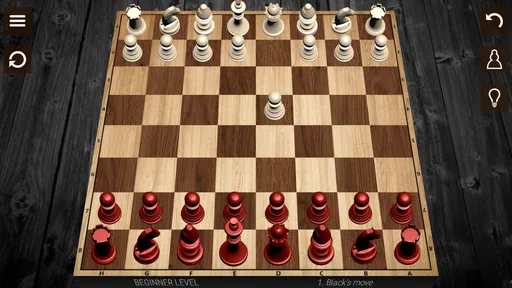
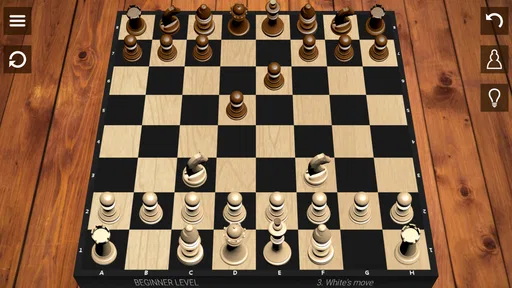
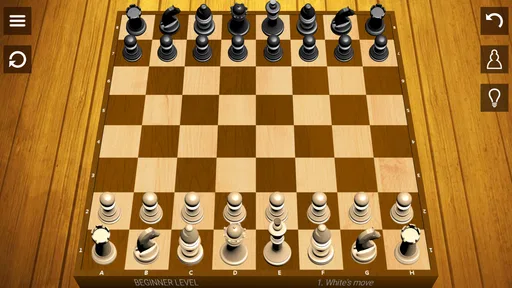
Let’s talk about customization because who doesn’t love personalizing their experience? The Chess app offers a range of themes and board designs. You can choose from classic wood to futuristic looks, depending on your mood. It’s a small touch but makes the experience more enjoyable.
The user experience is top-notch. Everything is smooth and responsive, with no annoying lags or crashes. It’s clear that a lot of thought went into making this app as user-friendly as possible. Even if you’re on a smaller screen, the pieces are easy to move, and the board is crystal clear.
Small-screen habits that help
On a compact display, I’d slow down before moving a piece and check the destination square rather than relying on a quick swipe. That is especially useful when pieces are close together or I’m playing in a hurry. A board theme that makes pieces and squares easy for me to distinguish matters more than one that merely looks striking. A decorative design is only a good choice if it keeps the position readable at a glance.
A realistic routine might be a game on the bus while seated, followed by a review later at home when I can give the position proper attention. I wouldn’t recommend trying to calculate seriously while walking or switching between apps; the very portability that makes mobile chess convenient can make concentration fragile. If I’m playing online, I’d choose a time when I can stay with the match rather than leave an opponent waiting.
What to check before spending or committing
For a first session, I’d try the tutorial and a few computer games before deciding whether the app fits. That gives a beginner a chance to see how the rules are presented and gives an experienced player a quick sense of whether the board and controls feel comfortable. If the main attraction is playing online, I’d test that experience separately and decide whether the social element suits me. A high overall rating can be reassuring, but it cannot predict whether I’ll enjoy the interface or the style of play.
On purchases, the known range is $0.99 to $4.99 per item; what each item includes is not established here, so I would not guess about benefits, ads, or competitive effects. I’d check the purchase description in the app before confirming anything and avoid paying just because I feel I need an edge. The same cautious approach applies to privacy, account requirements, and online conduct: those details are not established here, so I would review the app’s own prompts and policies rather than assume how they work.
Who should look elsewhere?
I’d recommend this to someone who wants a familiar chess game with solo practice, online play, interactive learning, and a way to revisit moves. It is also a sensible option for a casual player who wants to keep a board game close at hand without arranging a physical set. The combination is appealing when flexibility matters more than a formal training plan.
I’d look elsewhere if I wanted a guided course with a clear sequence of lessons, extensive coaching, or a more controlled tournament setup. I’d also choose a physical board when the goal is to teach across a table or share a position in person. And if I dislike competitive play or find phone screens distracting, the online mode and mobile convenience may not be advantages at all. The best choice depends less on how many options an app advertises and more on whether its way of playing matches the habit I want to build.
Why You Should Try It
If you’re still on the fence about downloading this app, let me give you a nudge. Chess is not just a game; it’s a workout for your brain. It’s about strategy, foresight, and patience. The app captures all of that beautifully and makes it accessible wherever you are. Plus, the feeling of winning a hard-fought game is incredibly satisfying.
This app is perfect for quick games during your commute, longer sessions on a lazy Sunday, or even as a way to connect with friends and family. It’s a digital chessboard that fits right in your pocket, ready to challenge you whenever you have a moment to spare.
So, what are you waiting for? Dive into the world of chess and see if you have what it takes to become the next grandmaster. Happy playing!
My trust verdict
What I can judge with confidence is the shape of the experience described here: a free chess game with a tutorial, computer opponents, online matches, chat, board customization, and post-game move review. Those elements make it practical for both casual play and self-directed practice. The developer is Chess Prince, and the game has been available since June 25, 2015; the long-running presence and large audience offer context, not a guarantee that every player will have the same experience.
My recommendation is straightforward: give it a try if you want chess close at hand and are happy to learn by playing, then reviewing a few important decisions. Keep spending optional, use chat with good judgement, and choose another tool if you need a structured course or more formal competition. For a portable way to play familiar chess, it looks like a solid fit; the best test is whether its actual controls and routines suit you.
Pros
- Intuitive interface for beginners.
- Offers various levels of difficulty.
- Includes tutorials and tips.
- Supports online multiplayer mode.
- Track your progress with stats.
Cons
- Ads can be intrusive at times.
- Limited offline features.
- Requires internet for multiplayer.
- Some features are paywalled.
- Occasional connection issues.
FAQs for Chess
What features does the Chess app offer?
The Chess app provides a variety of features including multiple game modes, adjustable difficulty levels, and a comprehensive tutorial for beginners. Additionally, users can enjoy online multiplayer matches, track their progress with detailed statistics, and participate in tournaments. The app also offers customizable boards and pieces for a personalized experience.
Is the Chess app suitable for beginners?
Yes, the Chess app is designed to cater to players of all skill levels, including beginners. It includes an intuitive tutorial mode that covers the basics of chess strategies and rules. The app also allows users to adjust difficulty settings, so new players can gradually increase the challenge as they improve.
Does the Chess app require an internet connection?
While an internet connection is necessary for online multiplayer games and accessing certain features like leaderboards or updates, the Chess app also supports offline play. Users can enjoy single-player matches against the AI and practice their skills without needing to be connected to the internet.
Are there any in-app purchases in the Chess app?
The Chess app may offer in-app purchases, which typically include additional themes, special game modes, or advanced features. While the basic version of the app is often free, these purchases enhance the gaming experience. Users should check the app's store page for specific details on available purchases.
Is the Chess app compatible with both Android and iOS devices?
Yes, the Chess app is available for both Android and iOS platforms. It is optimized for a range of devices and supports various versions of each operating system. Users can download the app from the Google Play Store for Android devices and the App Store for iOS devices.


